 PSWDrink
Drink enough – and keep track of it.
PSWDrink records what and how much you drink. One tap on your iPhone, in the widget or on your Apple Watch is enough – lists and statistics show you how you drink over days, months and years. Buy once, no subscription.
Coming soon to the App StoreHow it works
Set a daily goal
Enter your goal or have it calculated from age, weight and sex.
Log a drink
Choose a drink, enter the amount, done – from water and tea through coffee and spritzers to beer and wine, or your own drink. The most common combinations are ready as quick add.
See your progress
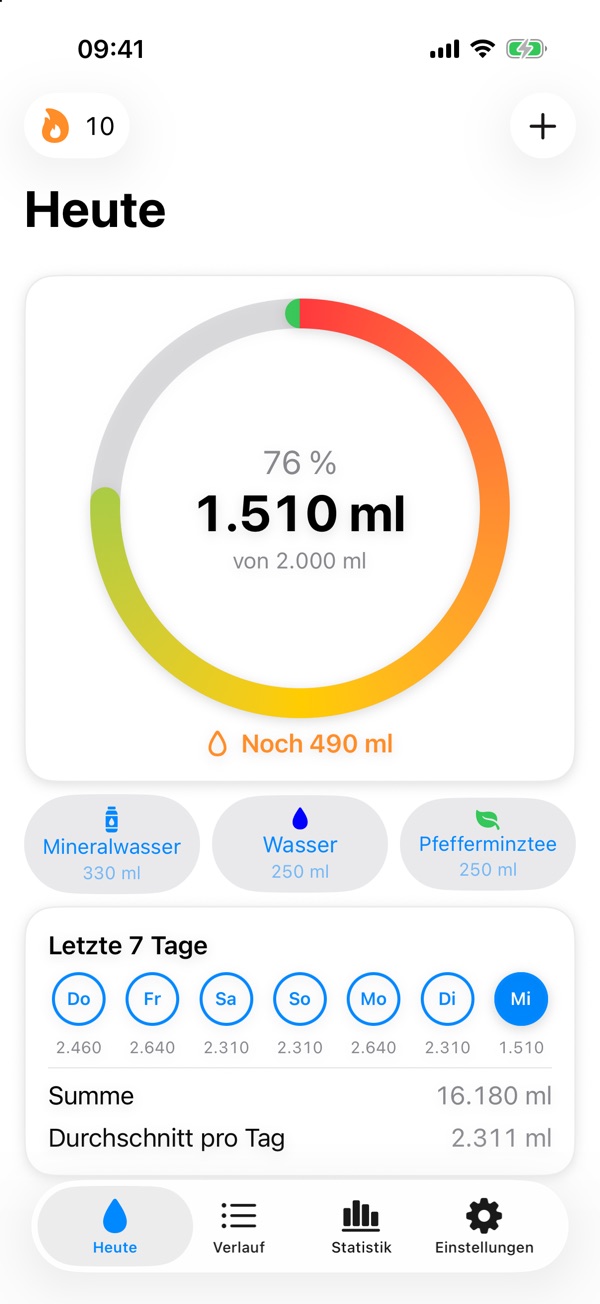
A ring shows how much you have already had today and how much is left to reach your goal.
A look inside the app
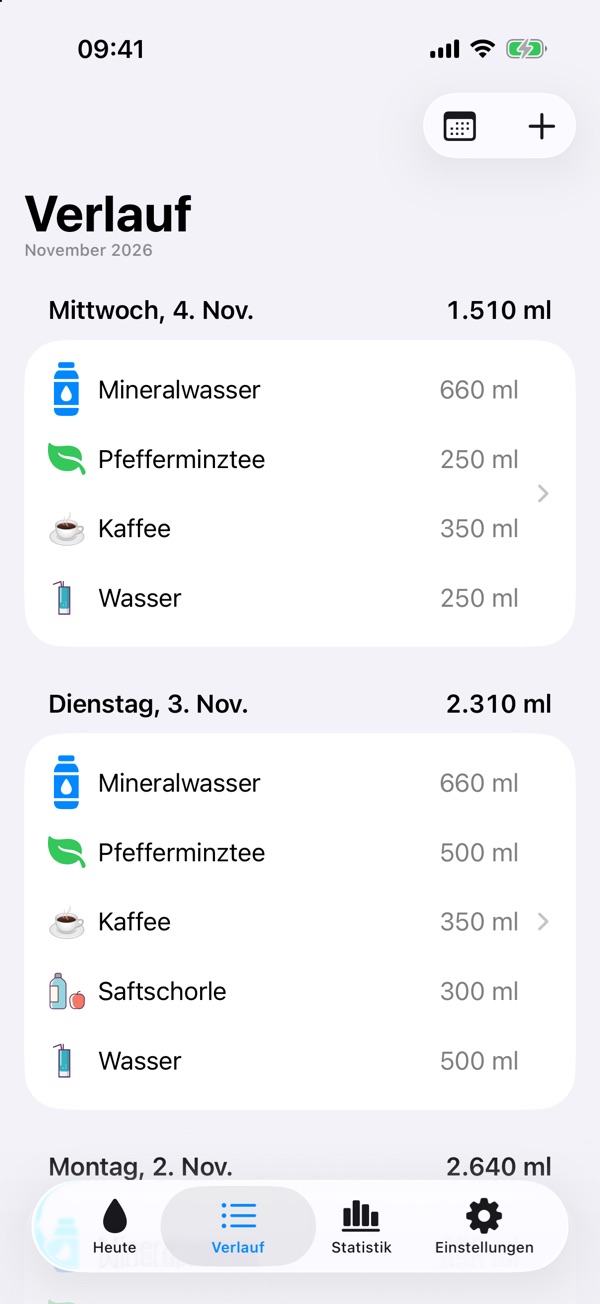
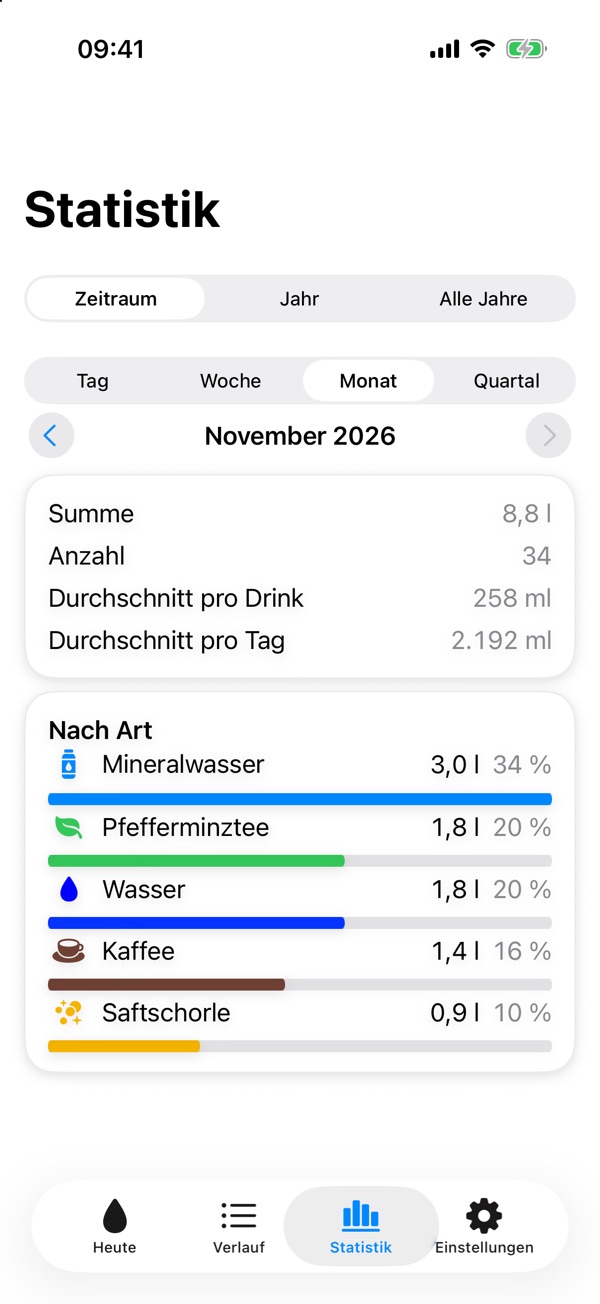
From today’s total to the statistics. (Screenshots shown in German; the app also runs in English.)
What PSWDrink can do
Apple Watch
Log your drink right on your wrist, see your daily total and the week. Plus complications for the watch face.
Widget
Your daily total on the Home Screen and Lock Screen, with buttons for your most common drinks.
Control Center
One button logs your favourite drink in the amount of your choice, also on the Lock Screen and with the Action button.
Shortcuts
In the Shortcuts app there is a tile for each drink type. Put it on the Home Screen or the Action button, and the app then asks for the amount.
Your own drinks
In addition to the 15 built-in drink types you create up to 12 of your own – with name, symbol, colour and default amount. They appear everywhere: in history, statistics, Watch and widget.
Reminders
Gentle nudges within your time window, spaced after your last drink. Once your goal is reached, it stays quiet.
Lists
All drinks by day, with totals per drink and per day. Entries can be changed or deleted at any time.
Statistics
Charts show amounts per drink and period as well as your trend over months and years.
Streaks
The app counts the days in a row on which you reached your goal – with no pressure to collect points.
Apple Health
Optional: with a swipe you write individual drinks to Health as water intake, and just as easily take them out again. Nothing is transferred automatically.
On all your devices
Through your private iCloud, your entries are the same on iPhone, iPad and Apple Watch. iCloud is optional.
Backup
Export all data as a JSON file, or as CSV for Excel and Numbers, and read the backup back in whenever you need to.
Your data belongs to you
No account, no server of my own, no ads, no tracking. Your entries are on your devices and in your private iCloud – I have no access to them. Apple Health stays with you, too.
Frequently asked questions
Which devices is PSWDrink available for?
For iPhone and iPad with iOS 26 or later and for Apple Watch with watchOS 26 or later.
What does PSWDrink cost?
You pay for PSWDrink once and it’s yours. There is no subscription, no in-app purchases and no ads. You can see the current price in the App Store.
Do I need iCloud?
No. Without iCloud your entries stay on the device only. With iCloud they are synchronised between your devices.
Can I create my own drinks?
Yes, up to 12 besides the 15 built-in ones. You find them in Settings under “Drink types”. If you delete one of your own types, its drinks are assigned to the built-in base type you chose when creating it – no entry is lost.
Do I have to use Apple Health?
No. The connection is optional and only transfers drinks that you yourself pick with a swipe in the history.
Is PSWDrink a medical app?
No. The calculated daily goal is a guideline. If you need to watch your fluid intake because of a medical condition, talk to your doctor.
You will find more answers on the support page.